REAL SCREENSHOTS · NOT A MOCKUP
THIS IS HYVE ETHER OS
Every image below is a direct capture from a running HYVE Ether OS install — the desktop, the full app grid, Omega and Alfred at work, local image generation in HYVE Spark, and the live 3D map of the whole OS.
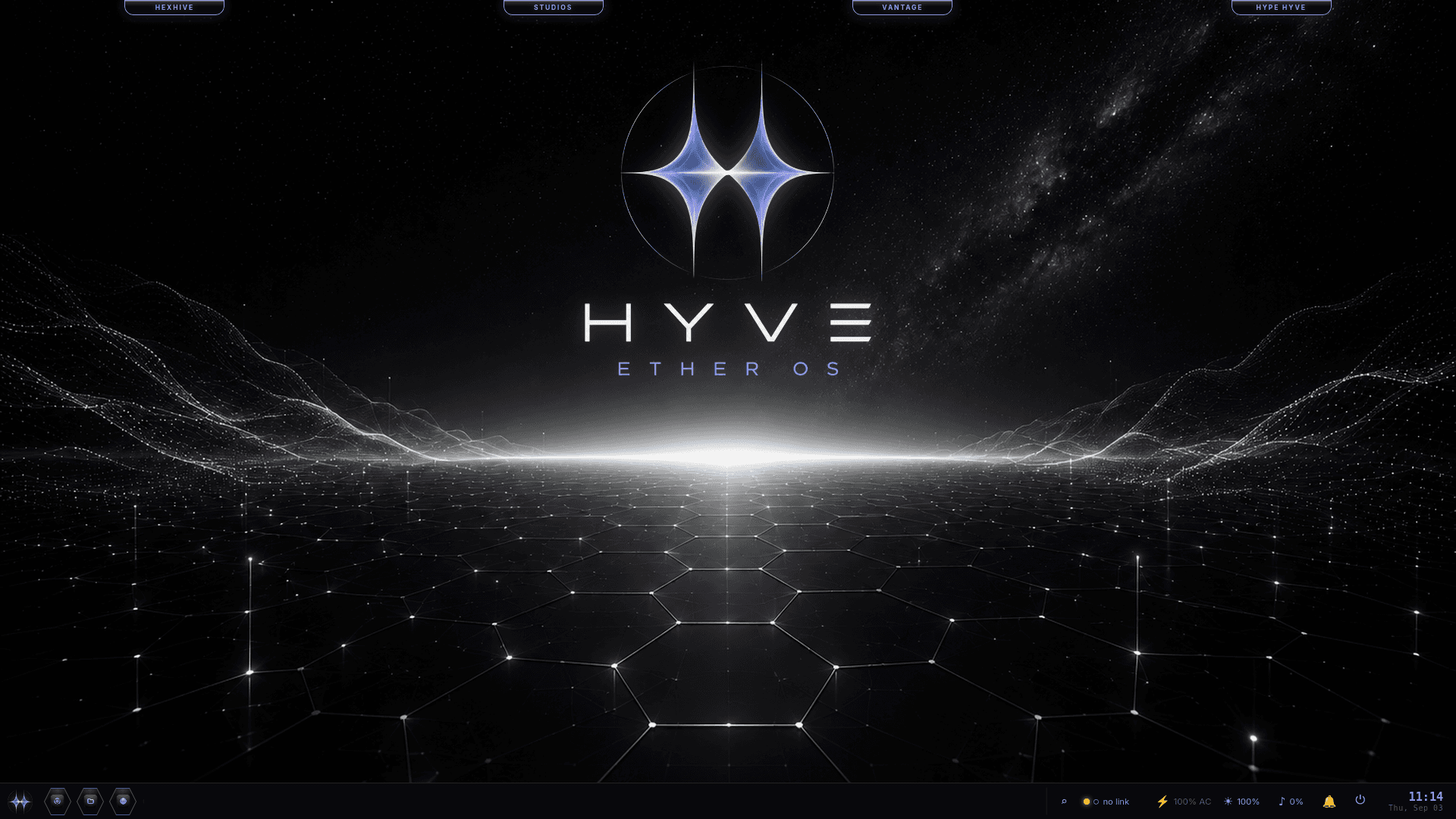
DESKTOP · HYVE ETHER OS
The Ether OS desktop.
The twin-star emblem over a hex-horizon wallpaper — azure and violet on black. Four pop-out rails dock at the top: HEXHIVE (quick-launch), STUDIOS (the creative suite), VANTAGE (observability & security), and HYPE HYVE (social). The bottom taskbar carries the launcher, pinned apps, and the system tray — battery, brightness, network, time. Quiet by default: no ads, no upsell modals, nothing phoning home.
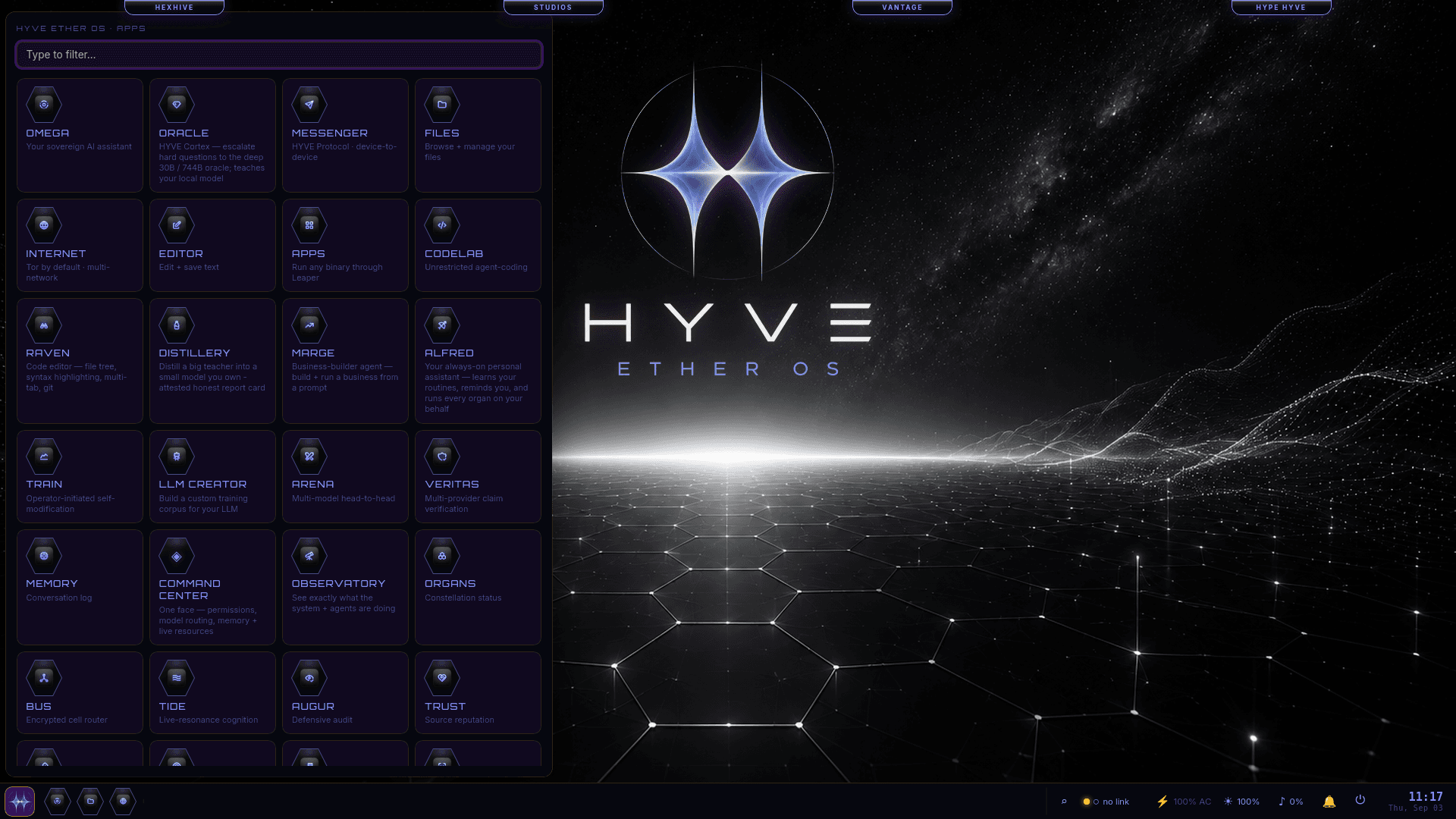
EVERYTHING INSIDE · APP GRID
Every organ, one keystroke away.
OMEGA — your sovereign AI assistant. ORACLE — escalate the hard questions to the deep 30B / 744B oracle, which then teaches your local model. MESSENGER — device-to-device over the HYVE protocol. CODELAB — unrestricted agent-coding. DISTILLERY — distill a big teacher into a small model you own, with an attested report card. MARGE — build and run a business from a prompt. Plus RAVEN, FILES, INTERNET, EDITOR, TRAIN, ARENA, VERITAS, MEMORY, COMMAND CENTER, OBSERVATORY, ORGANS — and more. Every one runs on your own metal.
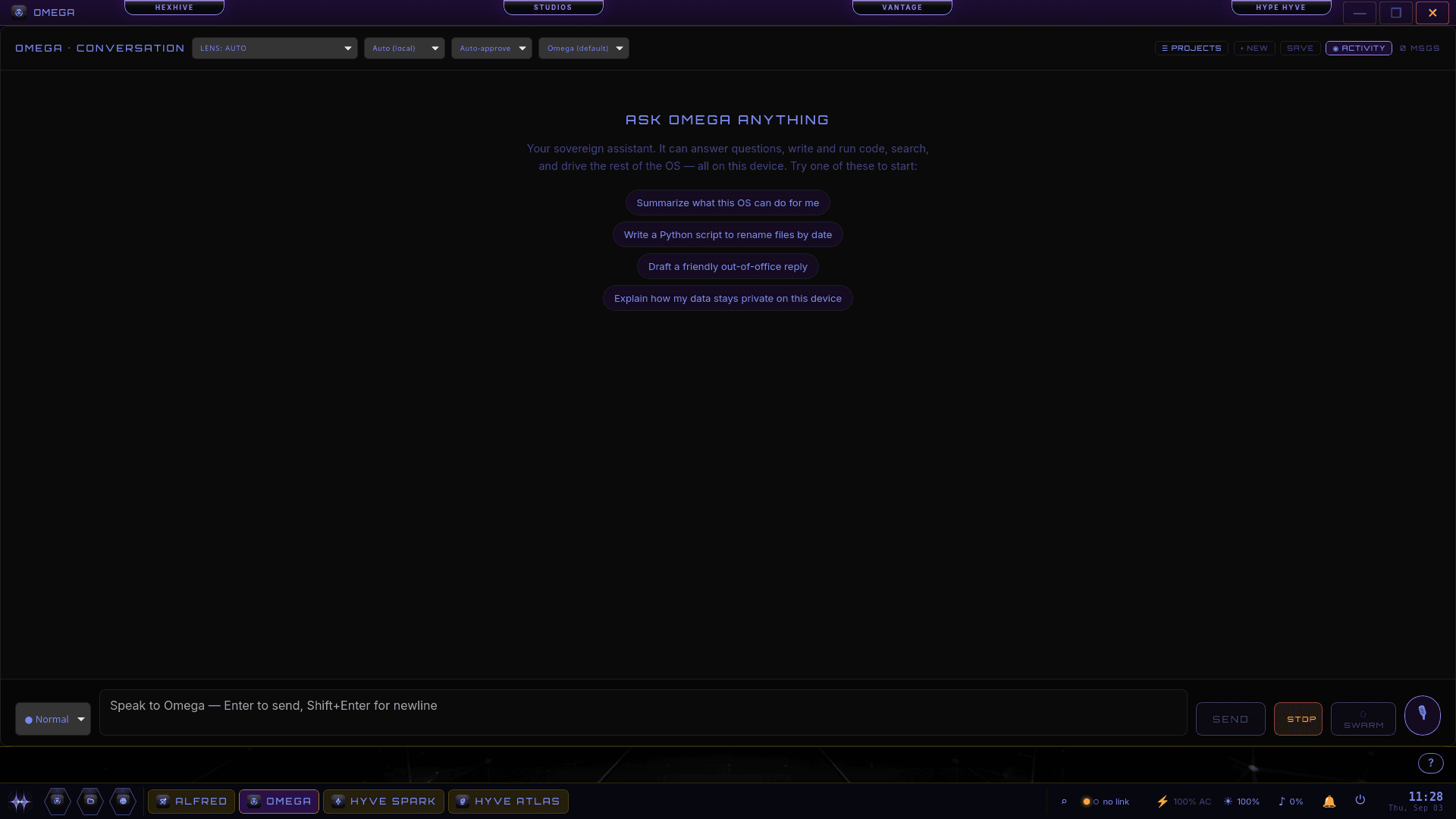
SOVEREIGN AI · OMEGA
Ask Omega anything.
Your sovereign assistant answers questions, writes and runs code, searches, and drives the rest of the OS — all on this device. Choose a lens, a model, and an approval mode; anything that spends, sends, or changes something asks first. Run it solo or fan the work out to a SWARM. No API bill, nothing leaving the machine.
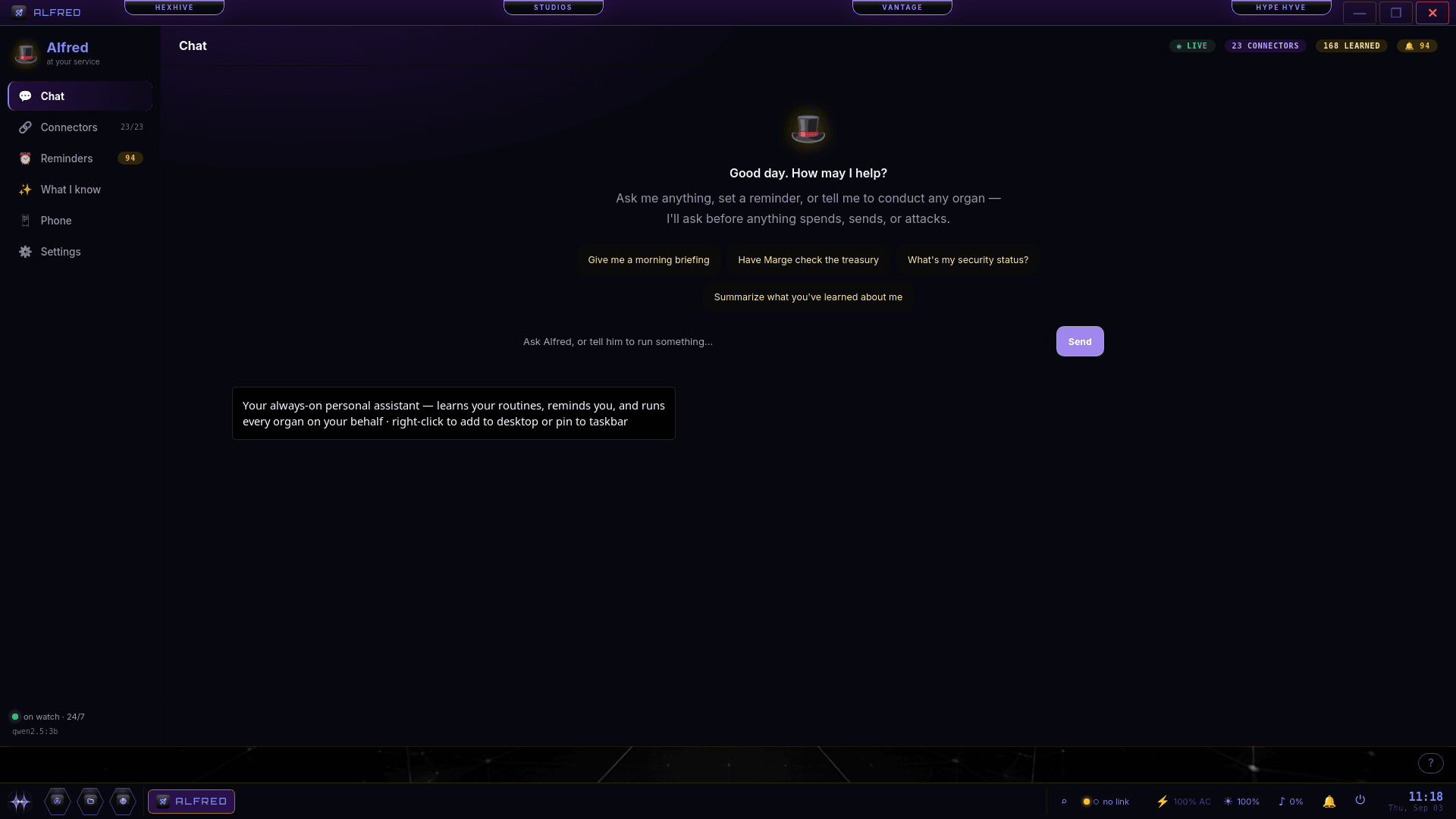
ALWAYS-ON ASSISTANT · ALFRED
Alfred. At your service — now on your phone.
Your always-on butler learns your routines, keeps your reminders, and can conduct any organ on your behalf — asking before anything sends, spends, or attacks. 23 connectors wired, 168 things learned, on watch 24/7. The new Phone tab pairs Alfred with the companion app so he can reach your texts, calendar, calls and contacts — with your permission, on your device.
LOCAL IMAGE GEN · HYVE SPARK
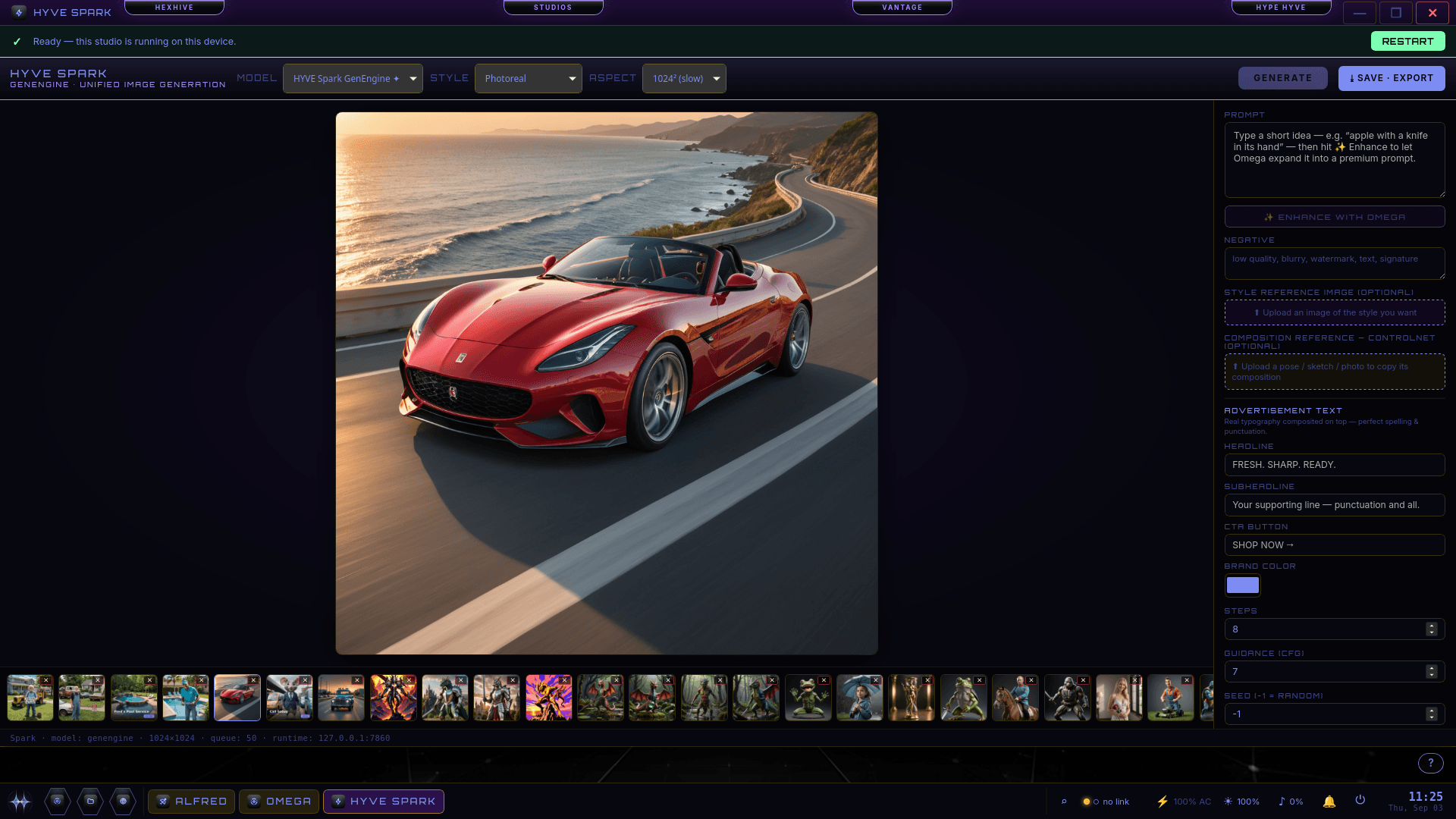
Studio-grade image generation — on your own GPU.
“Ready — this studio is running on this device.” Type an idea, let Omega enhance it into a premium prompt, pick a style and aspect, and generate — photoreal or stylized. ControlNet composition, style references, real composited ad typography, and a gallery of everything you’ve made. Nothing uploaded, nothing metered.
THE OS, MAPPED · HYVE ATLAS
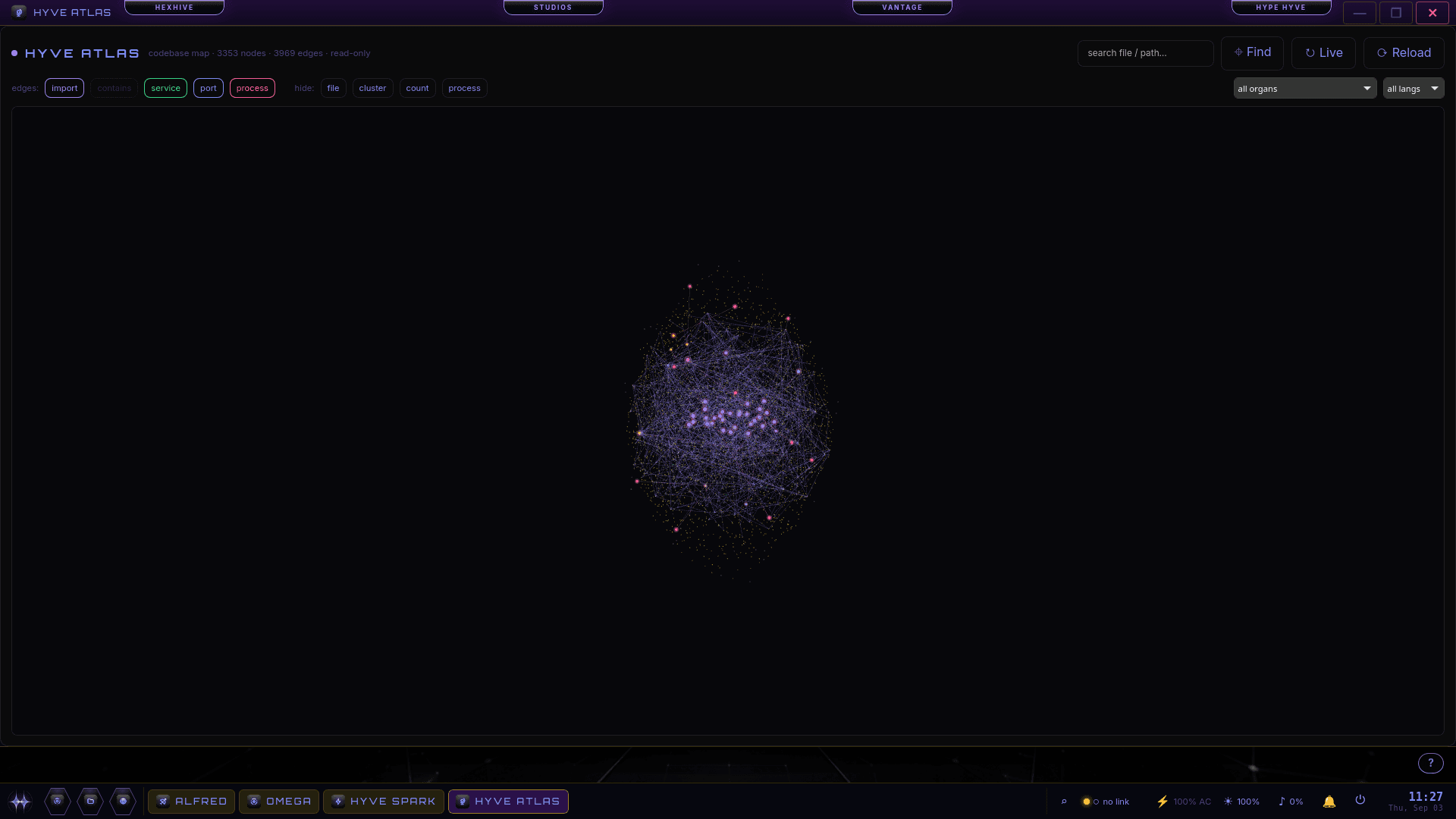
A living map of the whole system.
HYVE Atlas renders the entire codebase as a 3D force-graph — 3,353 nodes and 3,969 edges of files, services, ports and processes, and exactly how they connect. Filter by organ, language, or edge type, search any path, and watch it update live. An OS that can show you itself.
CLOSED BETA · BY REQUEST
Request Beta Access